Let's make your pet turn around!
Pets feel alive when they look at things! In Godot, an AnimatedSprite2D can flip itself, so you only have to draw your pet facing one way.
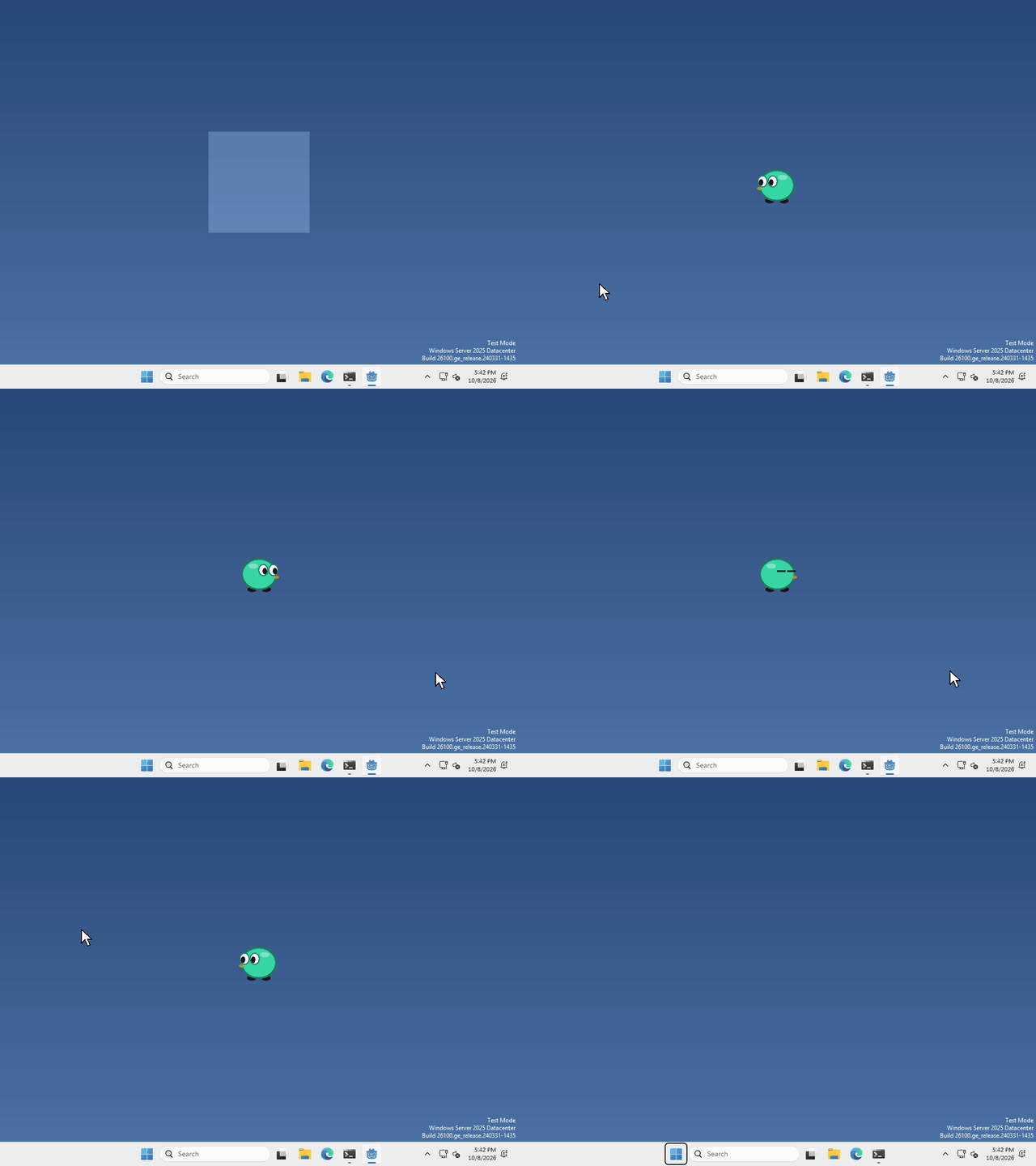
I made mine turn to face the cursor as it moves from one side to the other, but what your pet looks at, and when, is up to you.
Find the flip
you already have an AnimatedSprite2D in your scene, from when we made the pet.
select it in the Scene panel (top left), then look for Flip H in the inspector on the right. It’s under Offset, so click Offset to open it if you can’t see it.
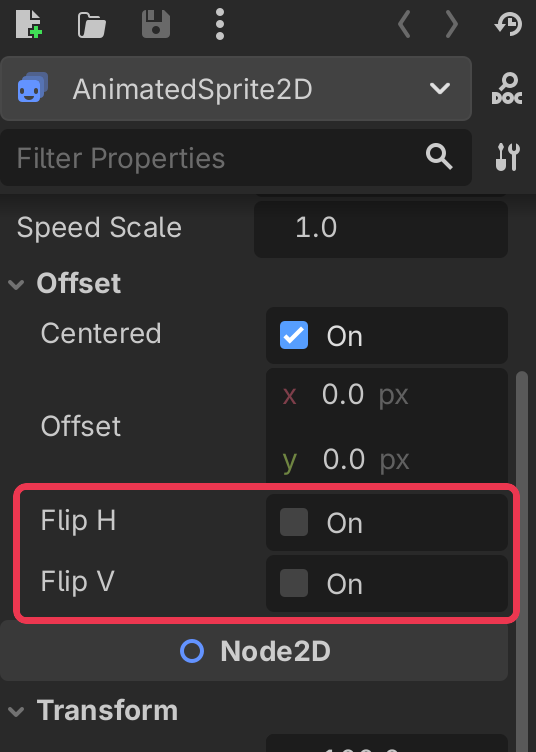
tick Flip H and your pet turns to face the other way. Flip V does the same, but upside down.
Flip it from code
whenever you want your pet to turn around, run
$AnimatedSprite2D.flip_h = trueand set it to false to turn it back.
Face the cursor
to make your pet look at the cursor, we can set flip_h to whether the cursor is to the left of the pet. Our window is 200 pixels wide, so the middle of our pet is 100 pixels in.
$AnimatedSprite2D.flip_h = DisplayServer.mouse_get_position().x < DisplayServer.window_get_position().x + 100I run that every frame, in _physics_process, so the pet turns the moment the cursor crosses over it.
That’s it!
Want more?
You can flip it up and down with flip_v, move it with Offset, and a lot more. It’s all in the AnimatedSprite2D docs.