Build a desktop pet in Godot
You’ll build a little pet that lives on your desktop: a Godot game with no window frame and no background, just your sprite. It walks along your screen, turns around at the edges, stops for a rest now and then, and you can pick it up and drag it around.
step 1 of 6: Set up
Set up Godot
Godot is a free, open source game engine. Game engines are used to make games easily. Go to godotengine.org to install it.
Open Godot, click Create New Project, name your game, select the Compatibility renderer, for Project Path select a Game folder, and click Create.
Install Godot Hackatime, and set up Hackatime on your machine
Open the Asset Store tab, search for Wakatime, and install “Godot Super Wakatime” by BartoszB
Then enable the plugin. Go to Project > Project Settings > Plugins, find “Godot Super Wakatime” in the list, and tick its Enabled checkbox.

If needed, set up Hackatime according to the guide, here: https://hackatime.hackclub.com/docs/getting-started/quick-start
Make a GitHub Repository
GitHub is a website that allows anyone to share their code, and keep it safe.
open https://github.com/new to create a new repository, name it, make it public. Don’t add a license or gitignore as this will make the next step harder. You can add one later !
Sync your Godot project with the GitHub repo you just made
macOS
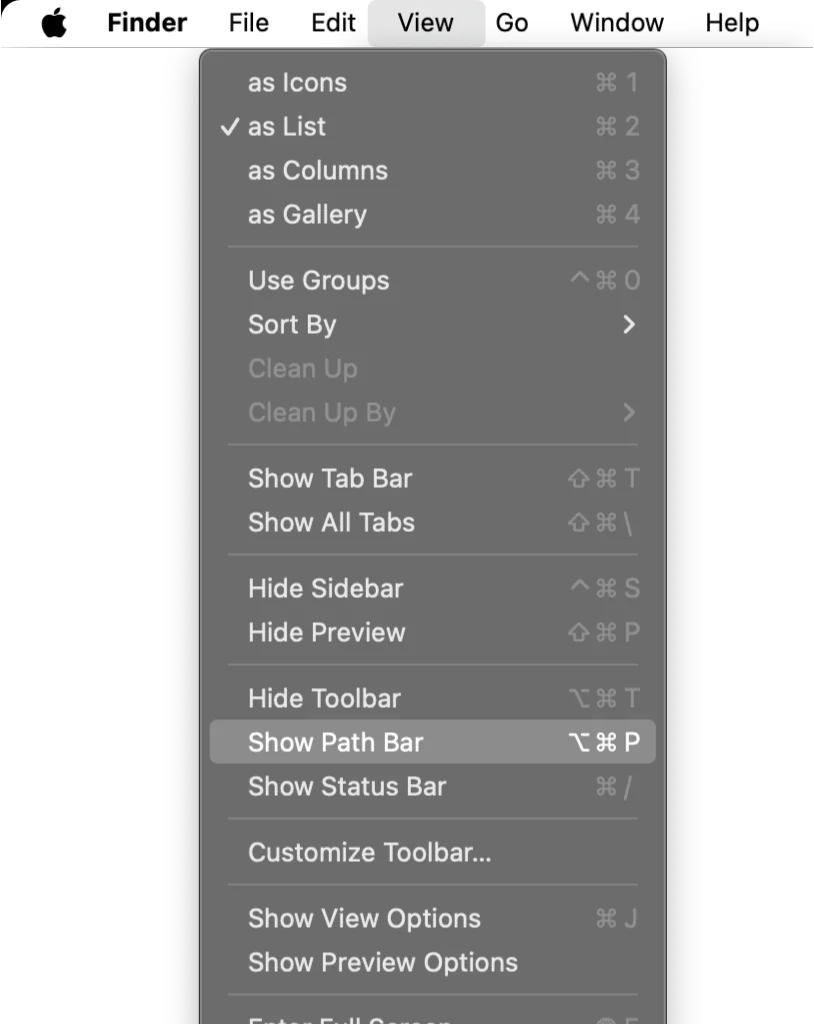
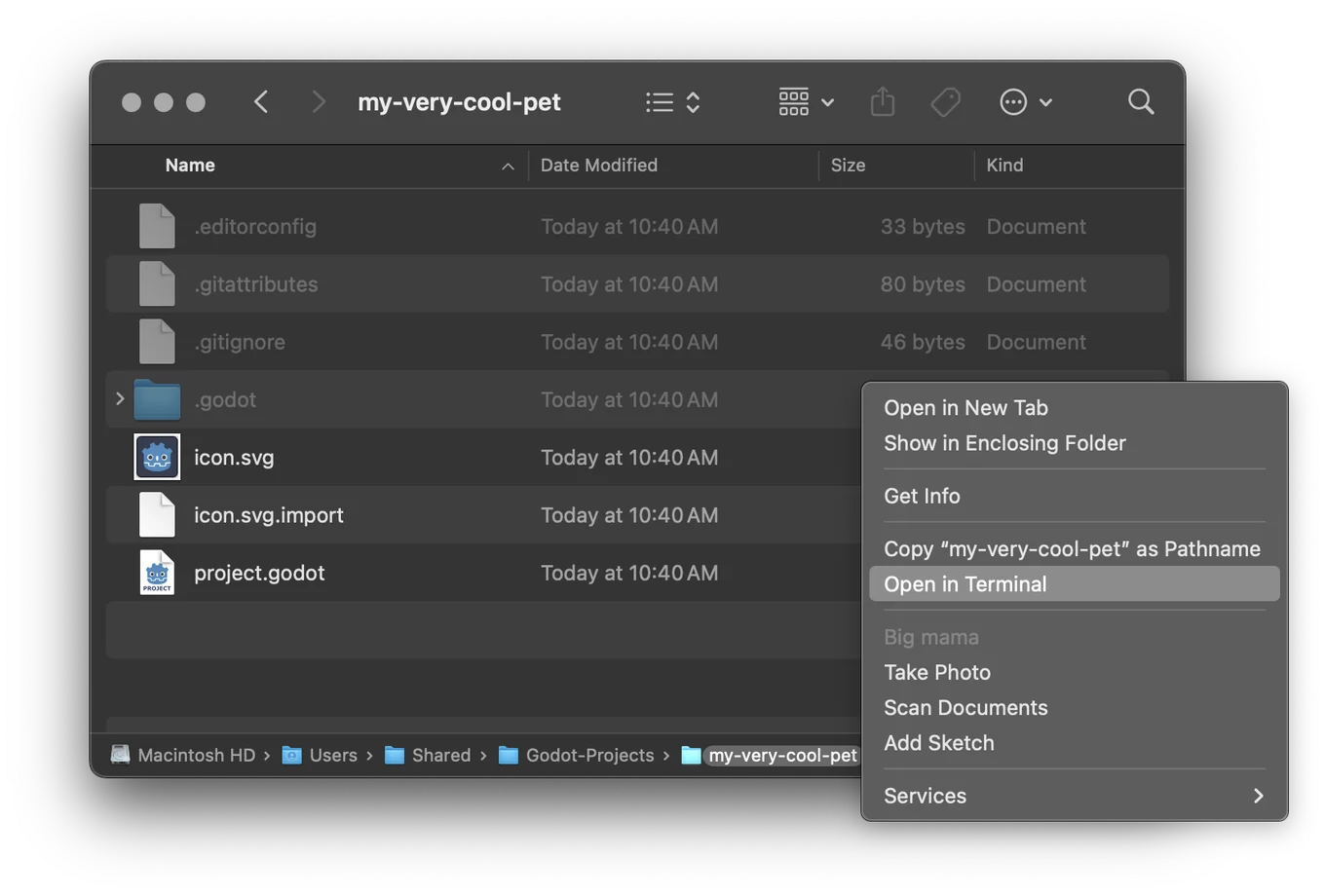
open your project folder in the terminal, you can do that by navigating to your project folder in Finder, and right clicking on it in the path bar and selecting ‘Open in terminal’
Windows
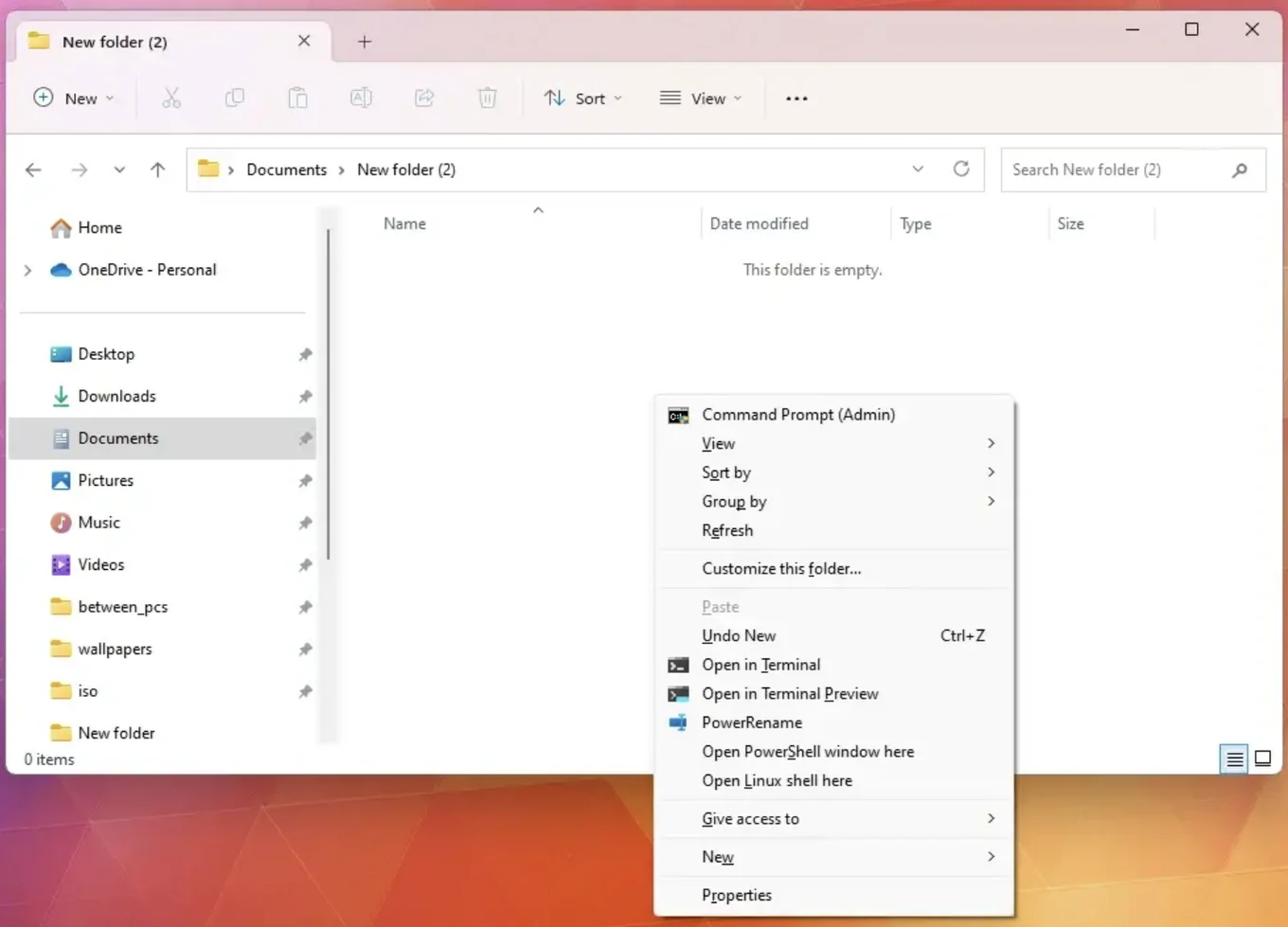
open your project folder in the terminal, you can do that by navigating to your project folder in the file explorer, holding down Shift, and then right clicking to open a context menu, and then click open in Terminal.
Linux
open your project folder in the terminal, you can do that by right clicking the folder in your file manager and choosing ‘Open in Terminal’
for macOSWindowsLinux. on another computer?
in the terminal, run
git init
git branch -M main
Go to the GitHub repository you created in the browser earlier and copy the link, and replace <your-github-repository-link> with your link, and then run it
git remote add origin <your-github-repository-link>
git add .
git commit -m "initialize"
git push -u origin main
Important commands
In Godot
Save your project often using Command S on macOS or Ctrl+S on Windows and Linux.
Play your game with Command B on macOS or F5 on Windows and Linux.
for macOSWindowsLinux. on another computer?
In the terminal
Be sure to commit regularly
git add .
git commit -m "things-added"
git push