Let's give your pet some moods!
Pets are more fun when they do different things at different times! In Godot, we can keep track of what our pet is doing with an enum and a match. These are part of GDScript, so there is no node to add this time.
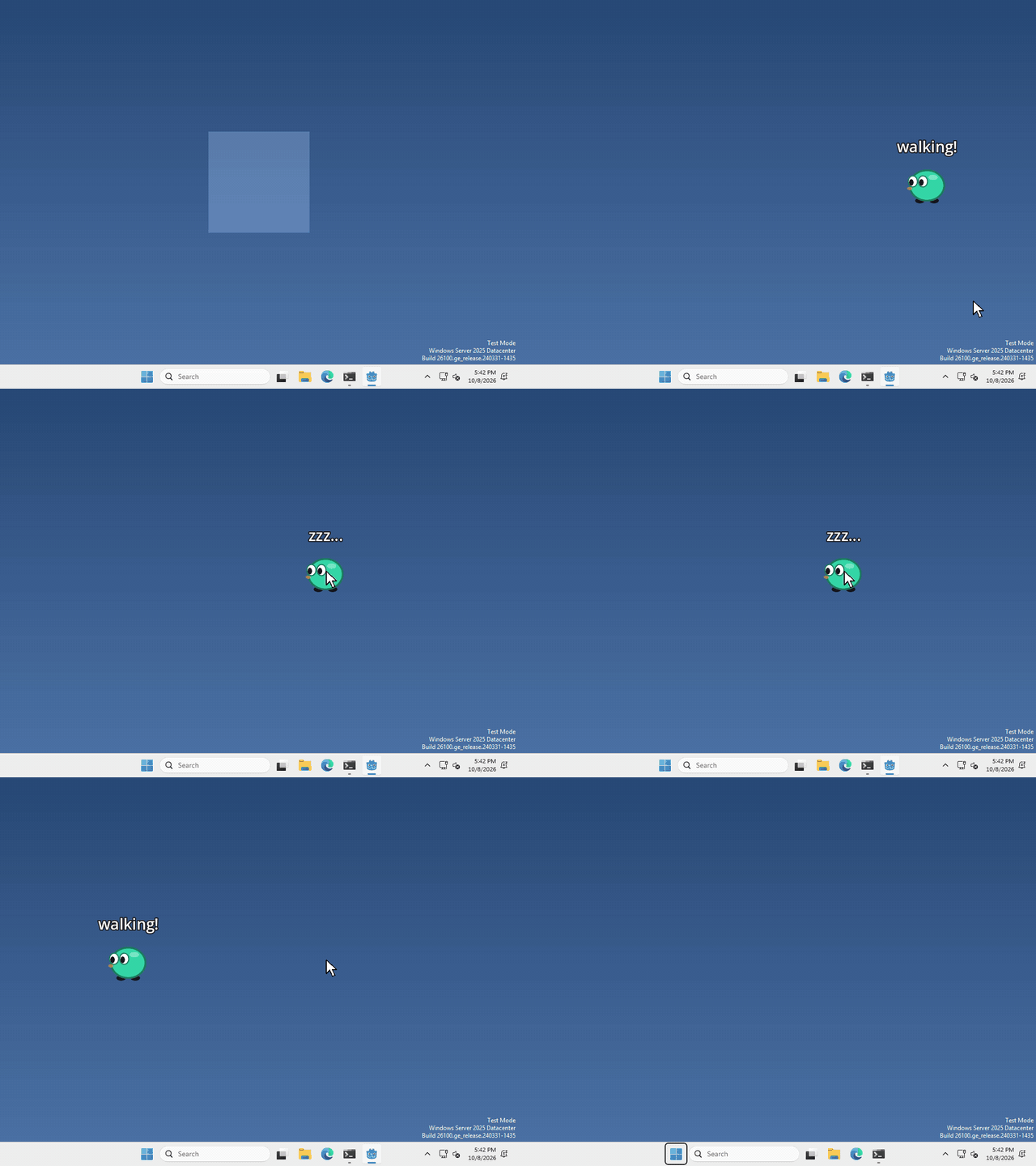
I made mine walk and sleep, and a click switches between the two, but which states your pet has, and what flips them, is up to you.
Name the states
at the top of your pet’s script, write
enum State { WALK, SLEEP }
var state = State.WALK
An enum is just a list of names, so we can write State.SLEEP instead of remembering that sleep is the number 1. state is where we keep which one our pet is in right now.
Do something for each one
a match looks at state and runs only the part that fits.
match state:
	State.WALK:
		$Label.text = "walking!"
	State.SLEEP:
		$Label.text = "zzz..."
I put mine in a little function that I call whenever the state changes. To change it, run
state = State.SLEEPThat’s it!
Want more?
You can add as many states as you like, and match can do a lot more than names. It’s all in the GDScript reference.